
The booking overview can be found under Bookings in the menu. This overview is also displayed as the start page when you log in to the booking tool.
At the top of the page, you will find the booking overview with a calendar, below it is the table of bookings.
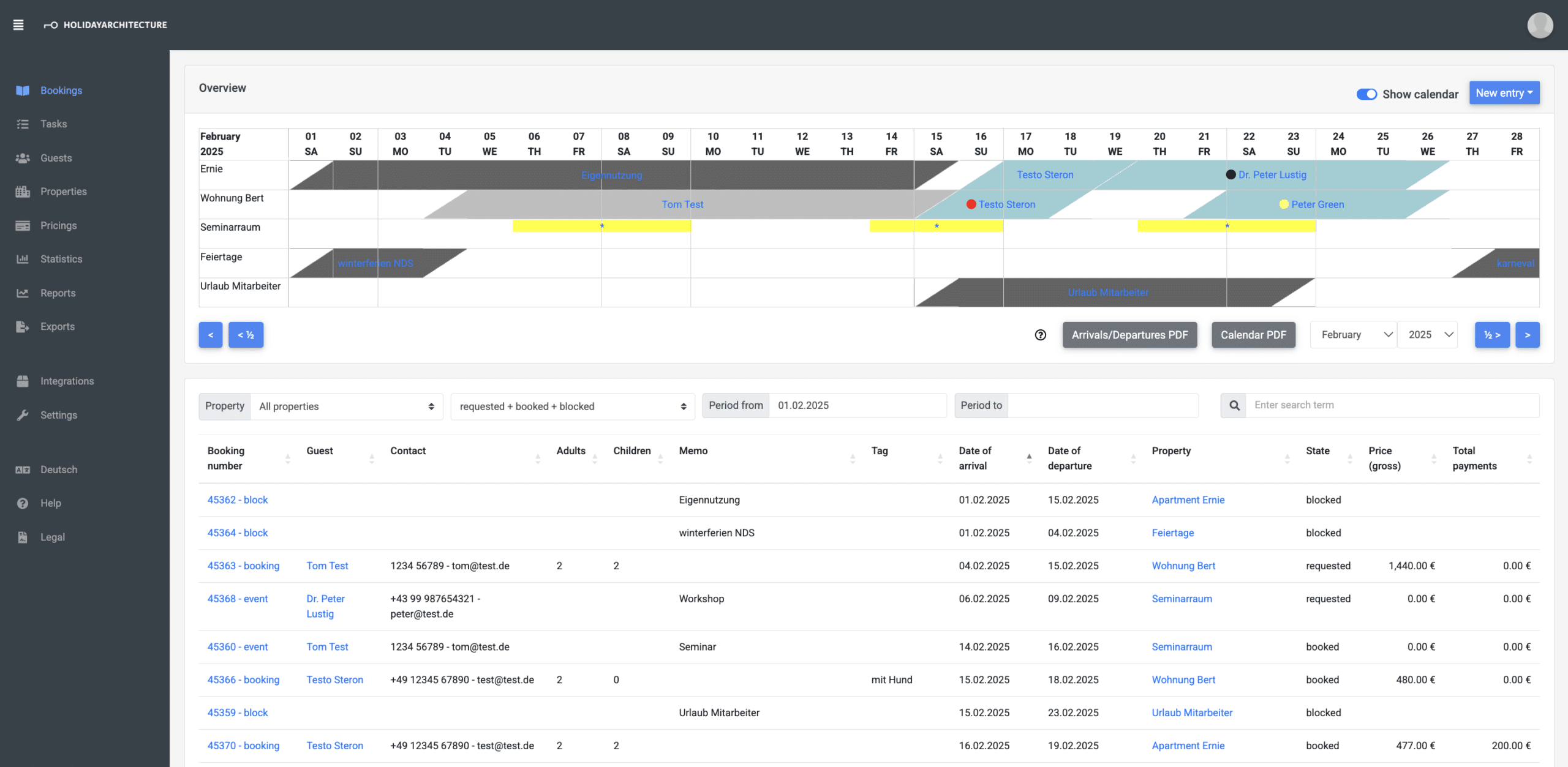
Calendar of the booking overview
The entries in the calendar are marked with different colors:
- Bookings
- booked
- requested
- overlapping requested booking
- Blocked time periods
- Blocked time period from ical-import
- Events
The colors used for each type can be customized in the settings.
Only booked and blocked periods are displayed in an external availability calendar on your website and in the URLAUBSARCHITEKTUR portal.
If you move the mouse pointer over an entry in the calendar (hover / mouseover), additional information about the booking is displayed.
Print arrival/departure list & calendar
The calendar and a list of arrivals and departures can be saved or printed as a .pdf.

Different filters can be used (time periods / accommodation / arrivals or departures only, e.g.).
Creating a new entry
You can create a new booking / event or a blocked period using the corresponding buttons, but also directly in the calendar of the booking overview. To do this, click on the arrival date of the respective property.
Before creating a new booking, the guest must be created or already exist.
Table of bookings
The table shows the current and upcoming bookings when called up. Filters and a search function can be used to select which bookings are displayed.
If a period from & period to filter is defined, an evaluation for this time period is shown below the table:
