
For each booking, the corresponding PDF-invoice can be downloaded on the booking details page.
A bulk export of PDF-invoices is possible under Exports. Bookings can be filtered and selected there. Invoices are created for the selected bookings and can then be downloaded as a ZIP file.
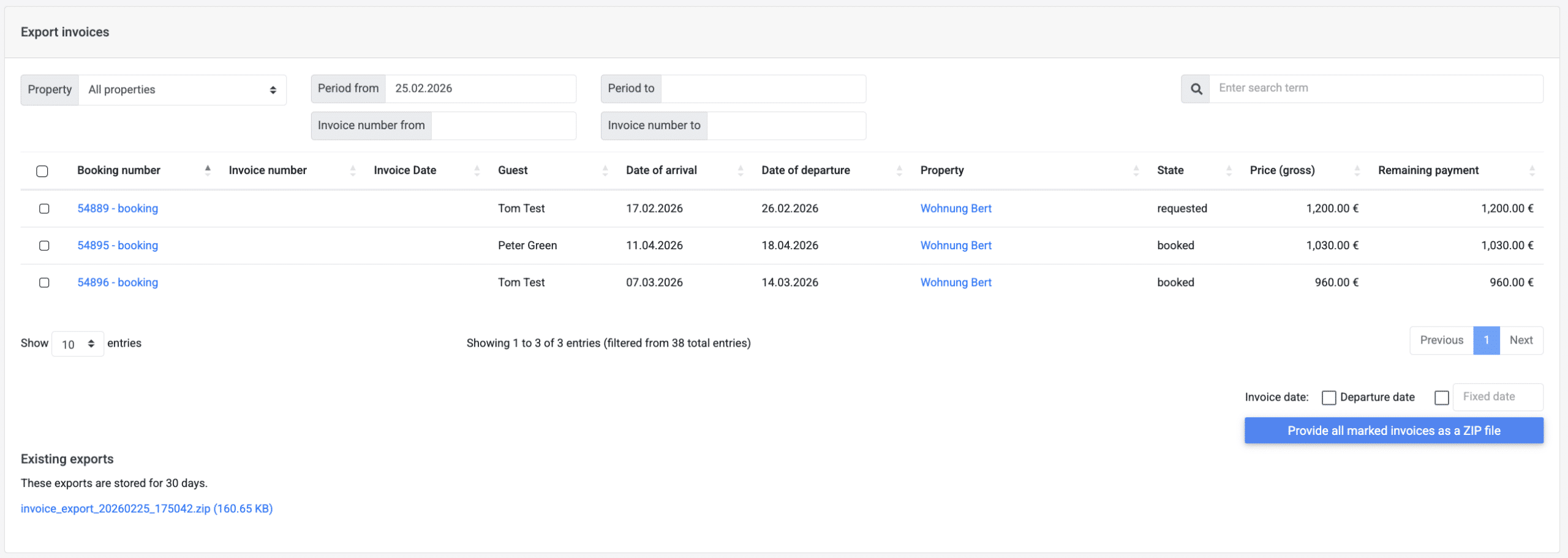
Invoice date for bulk export
The invoice date can be set as an option:
- as the departure date
- as any selected date
If an invoice date was already stored in the booking, it will be overwritten according to the set definition.
If no invoice date is defined for the export, the invoice date from the respective booking is used. If no invoice date is defined for the booking, the current date is used.